Header
Your notes, meetings, and research, together on your Mac. All in plain Markdown files you own.
Now in beta for macOS
We'll email you a TestFlight invitation.
Free during the beta · macOS 14.4 or later · Apple silicon and Intel
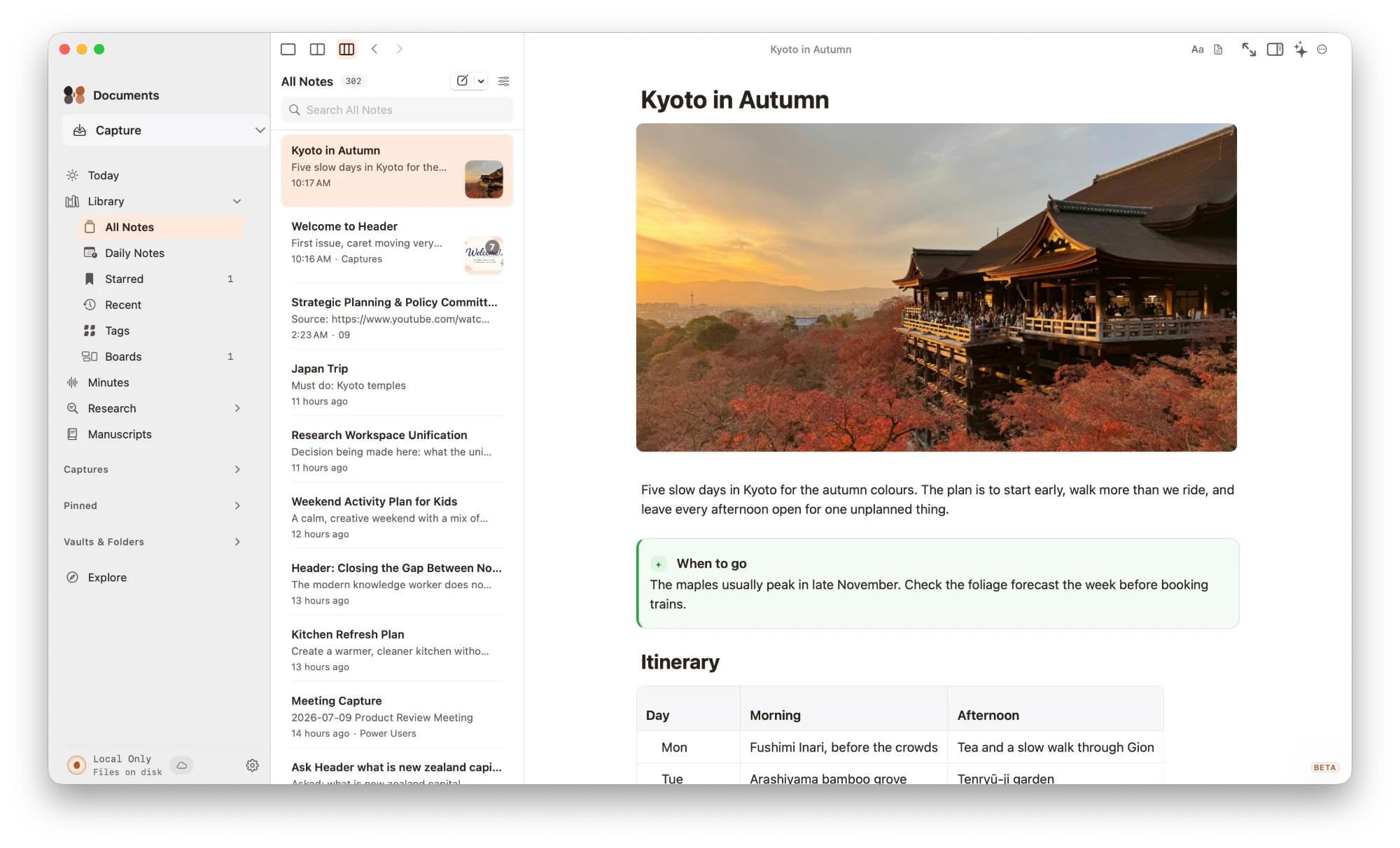
Your notes stay yours
Header works on a folder of plain Markdown files, so everything you write stays readable without it.
Open the folder you already have
Point Header at a local folder, iCloud Drive, or Dropbox. Existing Markdown notes open as they are, with no import step. Obsidian vaults work too, though Obsidian plugins don't carry over.
Meetings, written up
Record a call or an in-person meeting, and the minutes land in your vault as a note.
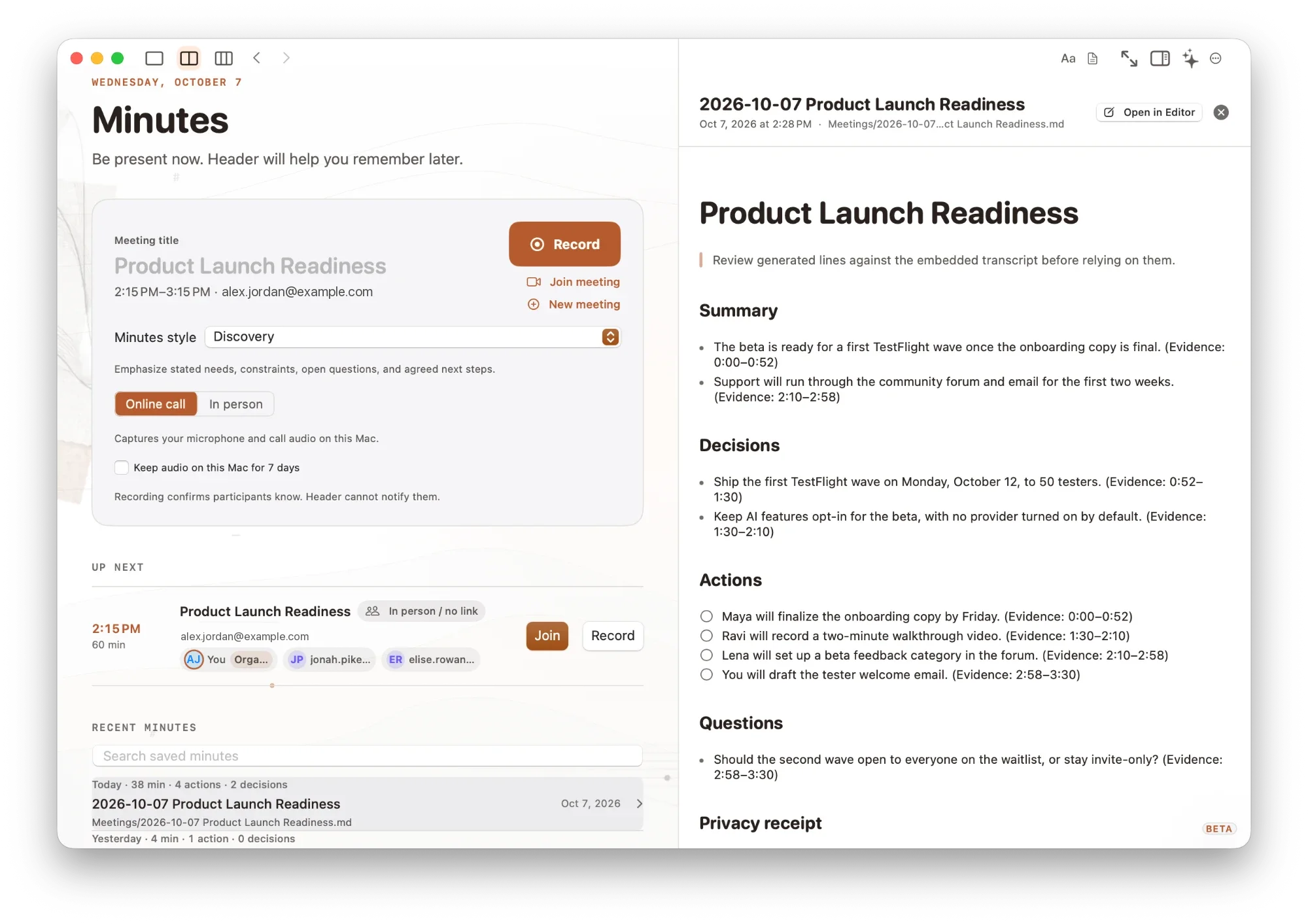
Minutes for every meeting
Record a call or an in-person meeting and get a note with a summary, decisions, and action items, each linked to the moment it was said. Optionally connect your calendar to see upcoming meetings and record them in one click. Recording happens on your Mac, and you decide whether to keep the audio.
Your day at a glance
One page for today's calendar and the tasks your notes are waiting on.
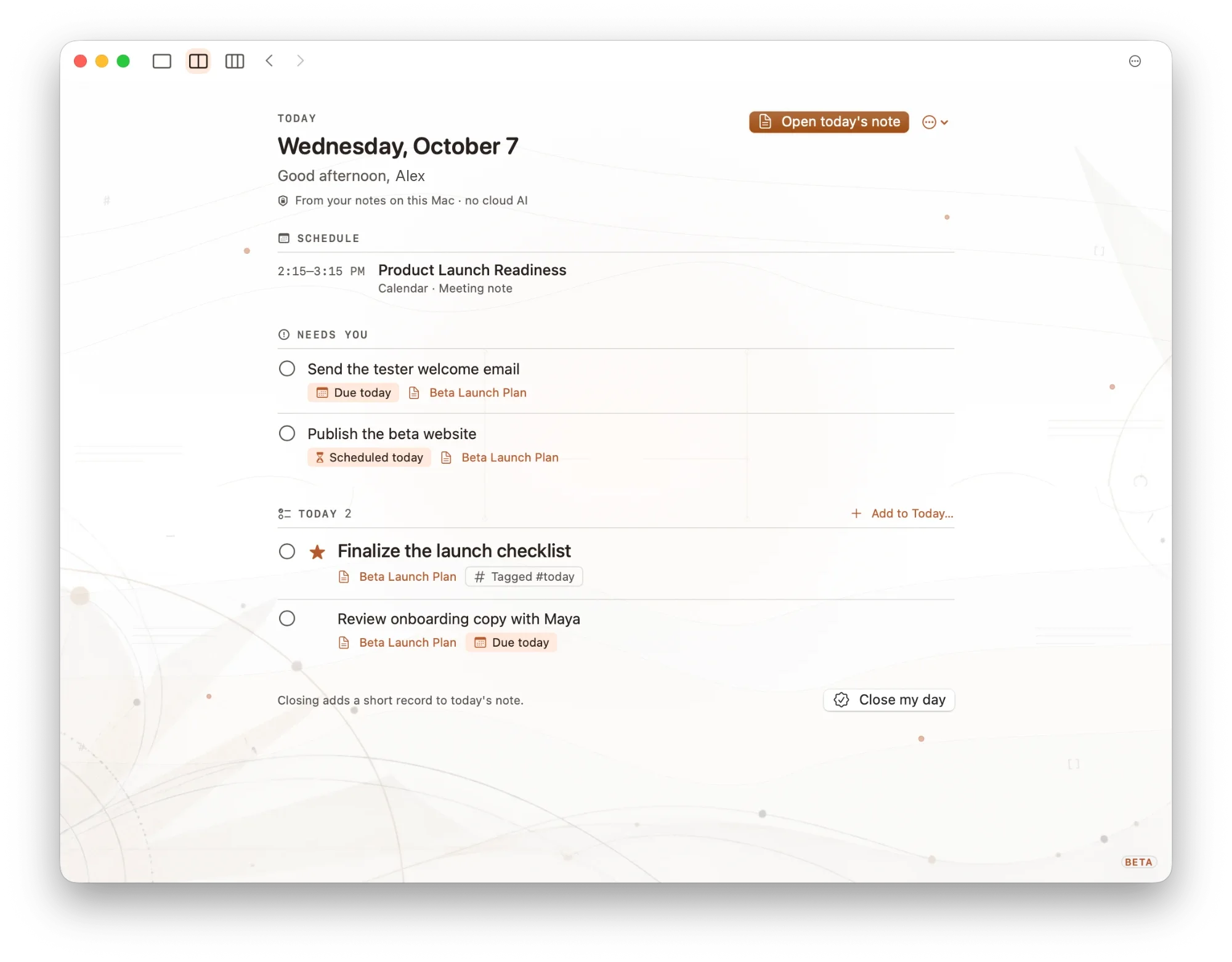
Today
Today brings your schedule and the open tasks from your notes into one place, each linked back to the note it came from. When you're done, close the day with a short record in today's note. It's built from your notes on your Mac, with no cloud AI.
Share it when it is ready
Turn a note into a document you can send.
Export in the format people expect
Export a note as a PDF, a web page, a Word document, or a PowerPoint presentation.
Write, link, and look back
The everyday tools, all working on the same plain files.
Rich or raw Markdown
Write in a rich editor, plain source, or both side by side. Tables, diagrams, and math render as you type.
Links and tags
Link notes with [[ ]], see backlinks, and browse by tag.
History
Every note keeps earlier versions you can browse and restore.
Graph and Canvas
See how notes connect, or lay ideas out on a board.
Quick Capture
Save a thought or a link with a shortcut, or from the menu bar, even when Header isn't in front.
Built for focus and the keyboard
Hide everything but the page, or press ⌘K to jump to any note or command.
Make it yours
Choose from six ink themes, each in light and dark. Header can follow your Mac's appearance or keep the one you pick.
Optional AI
You don't need AI to use Header. If you turn it on, it stays checkable.
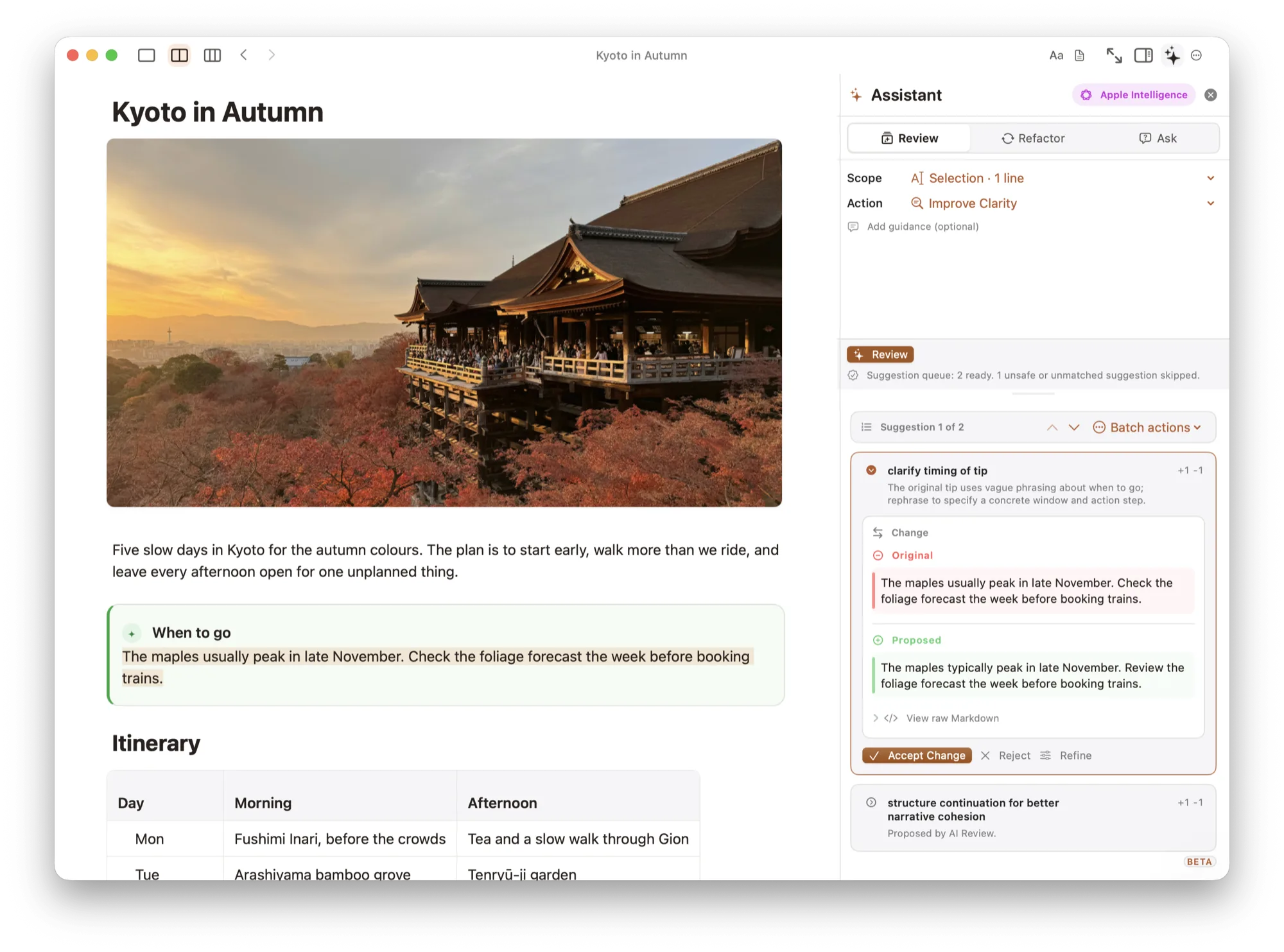
Review every suggested edit
AI suggestions arrive as changes you accept or reject, and answers to your questions cite the notes they came from. Earlier versions stay available in History.
AI needs your own provider key (such as OpenAI, Anthropic, or Mistral), Ollama, or Apple Intelligence on supported Macs.
And more
From first draft to finished work.
Manuscripts
Write long pieces in chapters, then export the whole manuscript.
Research and reading
Add sources from a DOI, PubMed ID, ISBN, arXiv link, URL, title, or citation, and cite them as you write. Read PDFs and Word files beside your notes; highlights never change the file.
Lenses
Turn your notes into tables of tasks, decisions, and open questions.
Atlas
With AI, a wiki of your vault that cites the notes behind every page.
Your vaults, your rules
Keep work and personal notes in separate vaults, and lock private notes behind Touch ID, encrypted on disk.
At home on your Mac
Spotlight search, Shortcuts actions, and a desktop widget.
Questions
Everything you need before you start.
How do I join the beta?
Request an invite with the button above and we will email you a TestFlight invitation. Header needs macOS 14.4 or later and runs on Apple silicon and Intel Macs. Updates arrive through TestFlight.
How can I send feedback?
Share ideas, report bugs, or join the conversation on our community forum. You can also use Help → Report Issue in Header, or write to support@morrowfieldlabs.com.
Is Header free?
Header is free to try during the beta. We will share more about pricing when the full version is ready.
Is it Mac only?
The beta is for Mac. We want to get it right there before talking about other platforms.
Where are my notes stored? Do I need AI?
Your notes are plain Markdown files in a folder you choose. AI is optional: you can connect your own provider, use Ollama, or use Apple Intelligence on supported Macs. By default, Header shows you what it will send before any note text goes to a cloud provider. See the privacy policy for details.
Come help shape Header
We're a small team, and beta feedback goes straight to the people building it. Try it, tell us what you think, and help decide what comes next.